Principal Seat App Store

Your job, your clients and your home, in one private app.

Give your career, your household, your business and the people you care for their own spaces. See the whole picture in All spaces, then open a space to make changes.

See how spaces workSpaces by plan

Your spaces

Pick a space and the app shows only that part of your life. College is a future idea, not a current feature.

The update you share with your AI assistant lists the spaces you don't have yet. If you bring up something that fits one, like a home repair, your assistant can offer that space once. It only asks. Nothing is made without your yes. To stop the offer, turn on Don't suggest Household (or that space's name), a switch in Settings.

Career

Opportunities, recruiters, interviews, offers, board seats and client tools, with your walk-away number behind Face ID or Touch ID.

Every plan

Household

Policies, warranties and contractors. Note which accounts and devices you have and where each login lives, not the passwords themselves.

In every plan

Business

The photographer and videographer setup: quotes, contracts, invoices and shoots. Photographer and videographer setup.

1 client or board seat and 1 invoice in Free and Premium, unlimited in Premium Portfolio

Caregiving

A space for a parent or relative you help. Same tools as Household: Coming up appointments, To do tasks, files and contacts. Share rides, visits, tasks and contacts with the family members who help. Not for medical records.

Every plan

College

Applications, deadlines, visits and side by side financial aid offers.

Planned for later

Business setup: Photographer and videographer

The Business space, with the Photographer and videographer template, not a separate space type. Choose “I run a photo or video business” to start with your clients. Meet Elena Rivera and the fictional Rivera Studio.

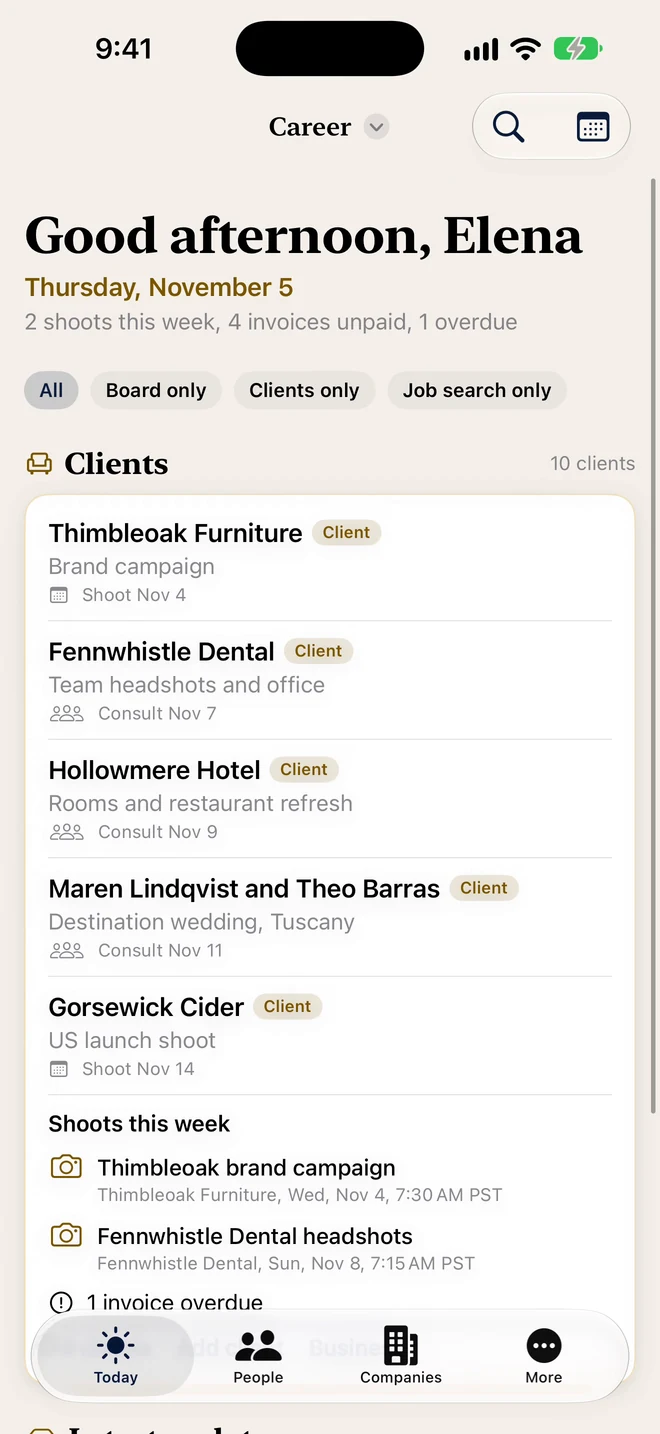
Elena’s real live-Demo Today overview, showing Thimbleoak Furniture, Gorsewick Cider and shoots this week under the actual Career header.
Real live Demo: Elena’s clients and shoots. The screen header reads Career.

The work around the shoot

Clients, quotes, contracts, invoices and shoots stay with the business work. Household stays separate.

  • Shoot day Premium Portfolio · Free: 1 client

    Call time, location, a call sheet and must-have shots. Start shoot on the day and follow the shot list on Apple Watch.
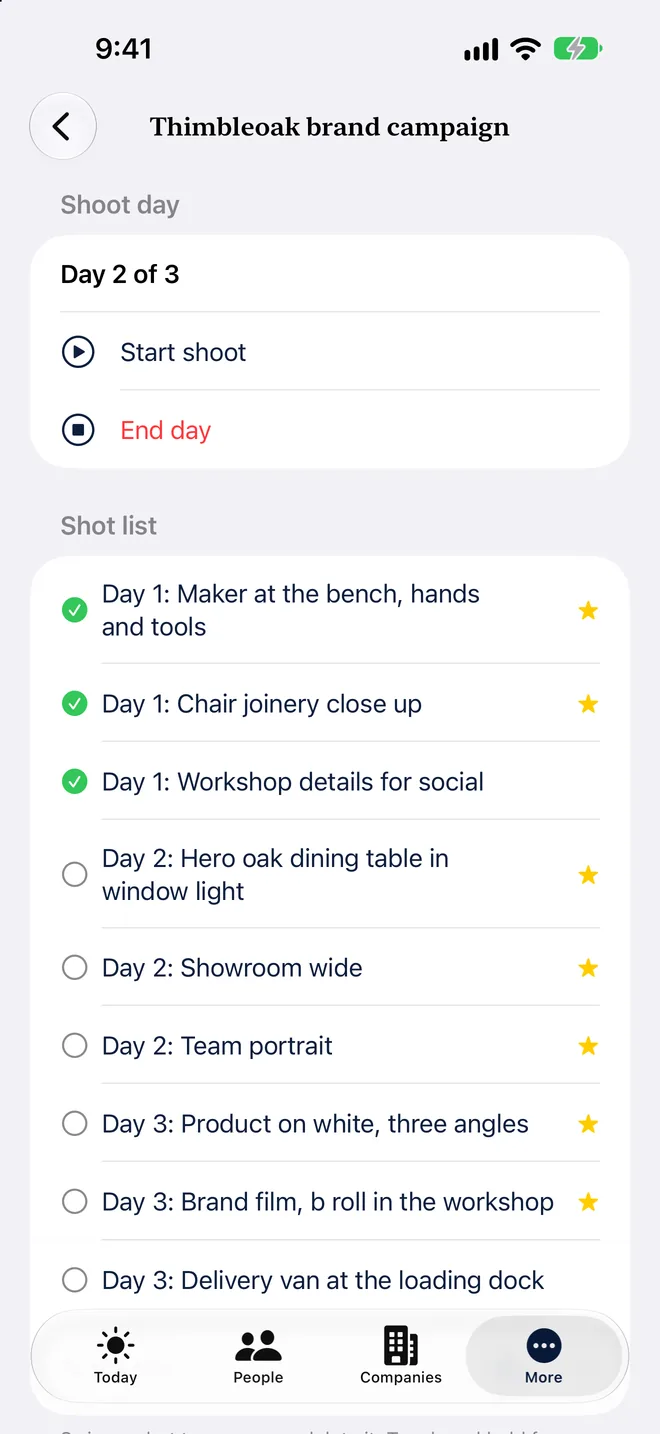
    Elena’s Thimbleoak brand campaign shoot day with the shot list grouped by day.
    Shoot day
  • Drone checklist Premium Portfolio · Free: 1 client

    Turn on the drone checklist for a shoot
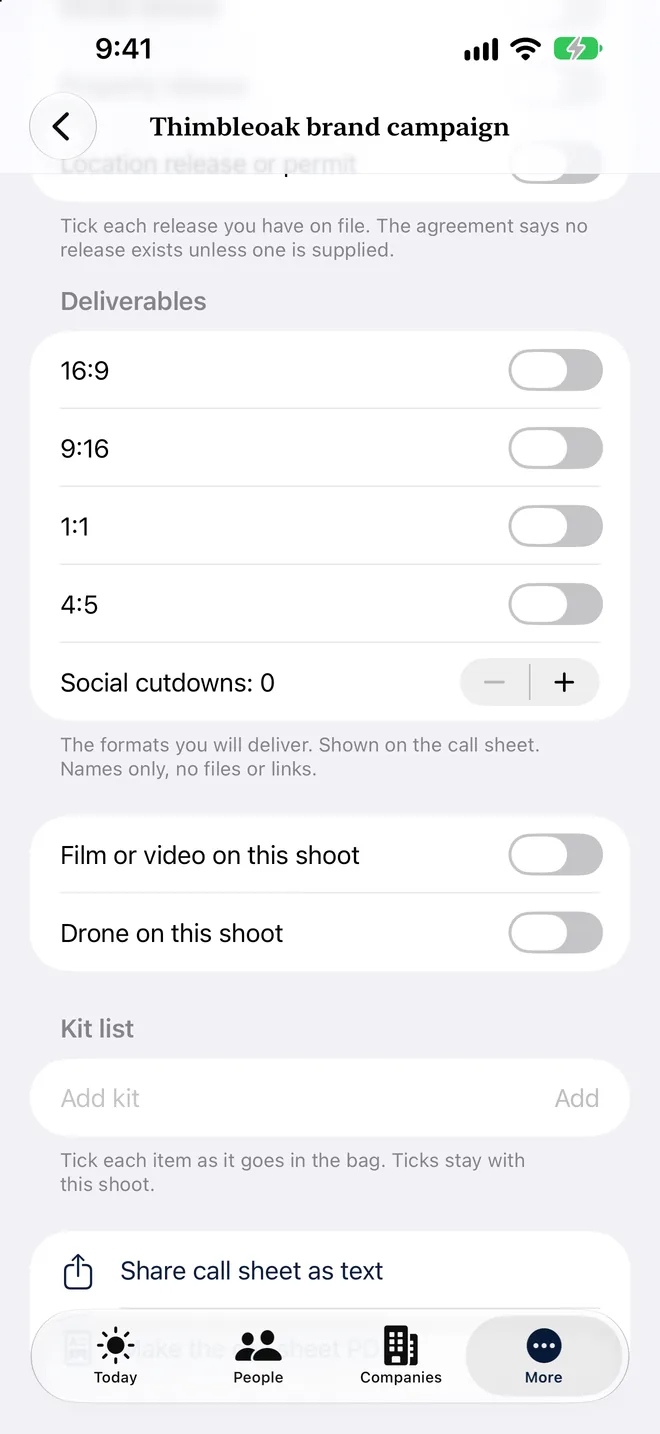
    Elena’s Thimbleoak shoot screen with the Drone on this shoot switch turned off and an empty kit list.
    Turn on the drone checklist for a shoot
  • Sun times and golden hour Premium Portfolio · Free: 1 client

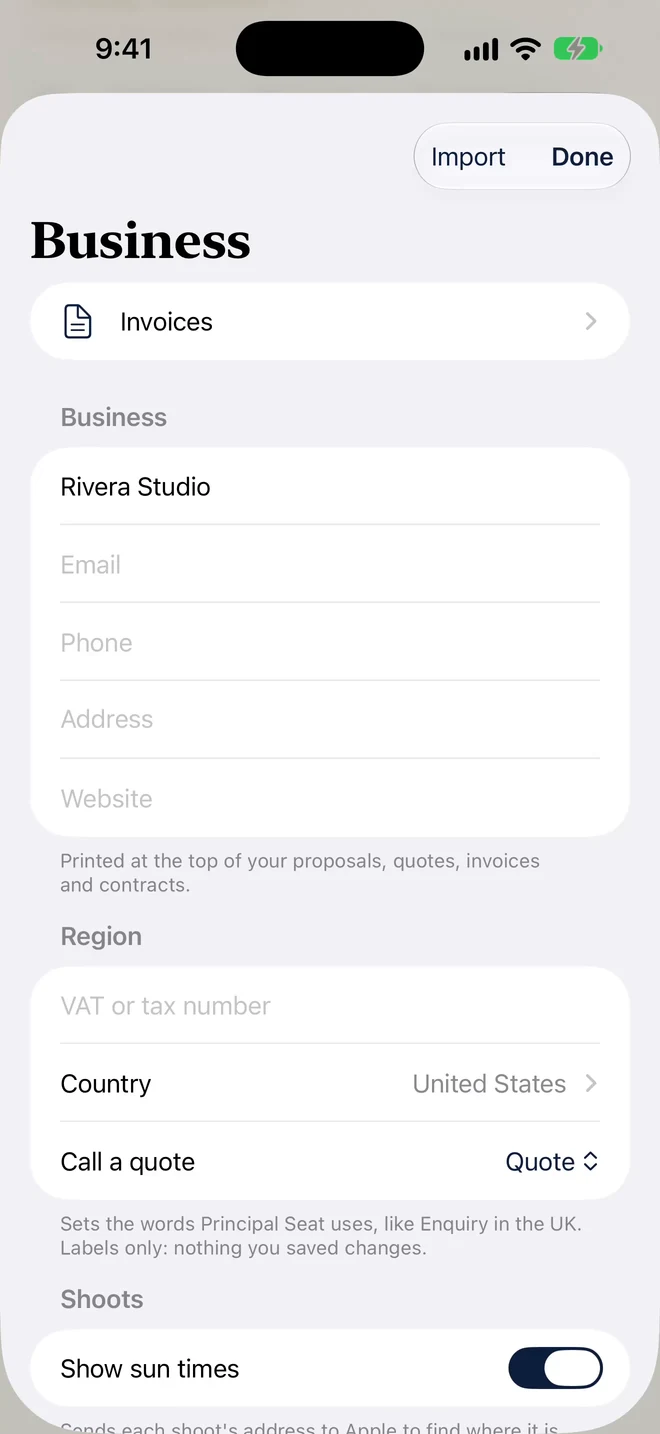
    New in 1.1: turn on Show sun times in Business for calculated sunrise, sunset and golden hour in the shoot’s time zone. Real light also depends on weather and surroundings.
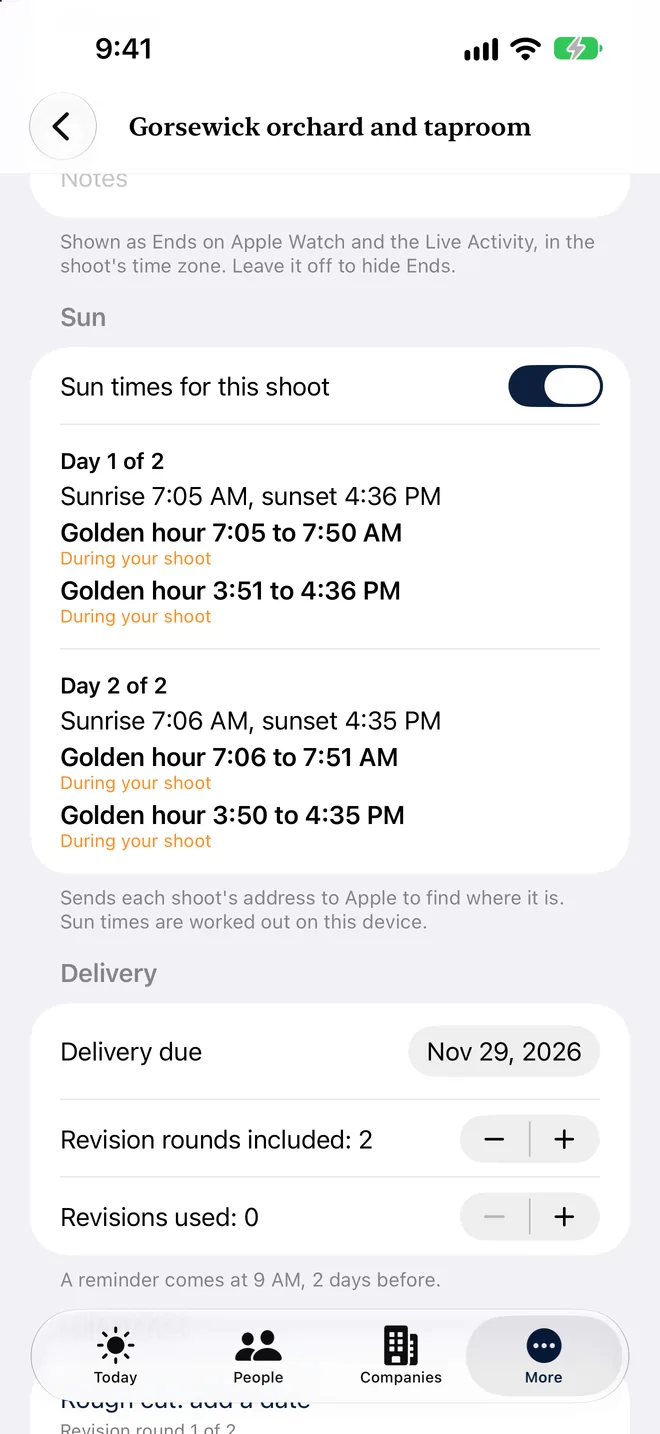
    Elena’s Gorsewick shoot showing calculated sun times and golden hour for each day.
    Sun times and golden hour

Free and Premium include one client with its shoots, quotes and contracts, and one invoice. Premium Portfolio has no client limit. Full limits.
Walk through Elena’s photo and video work

Real Rivera Studio Business sheet with studio settings and the Show sun times switch.
Real live Demo: Rivera Studio’s Business sheet.

Rivera Studio’s demo sample

Fictional live-Demo data
RecordSample
Thimbleoak FurnitureBrand campaign · Booked
Gorsewick CiderUS launch shoot · Booked
Brackwater Kayak CoINV-1010 · $2,345 USD balance · 7 days past due in the demo

Your assistant prepares updates. You review them and bring them in.

See the screenshots and feature steps.

All spaces Read only

All spaces shows Today and the calendar across the spaces you own or have joined. It is read only. Open a space to add or change something. Items are grouped by space, with each space's name on every item.

New users start on one space, and the app remembers your last pick. Only you see the combined view. People you share a space with see only that space.

Switch spaces

Try it. Tap a space on the phone.

Tap the space name at the top to switch. A checkmark shows where you are. A space someone shares with you shows their name, like Sam's Caregiving. With more than one space, All spaces lets you look at everything at once. To add or change something, open its space. New space… at the bottom of the menu starts a new one. On the Mac, use View > Spaces, or Command-1 for Career, Command-2 for Household, Command-3 for Business and Command-0 for All Spaces. File > New Space… starts a new one.

9:41Today
Today
Calendar
Contacts

Everything has one home

An offer lives only in Career. An insurance policy lives only in Household. Its private details stay in that space.

People and dates can appear in several

Your accountant can have a Household contact you link to the Business one. Members see only the Household fields. All spaces shows Today and the calendar across the spaces you own or have joined. It is read only. Open a space to add or change something.

The space follows what you send

Send to your AI assistant, like ChatGPT, Gemini, Claude or Grok, Export my data and notifications follow the space you are in.

A change history for each shared space

Each shared space keeps a change history. Recently Deleted keeps deleted items.

CareerHouseholdBusiness

Spaces by plan

Every plan shows what it includes before you start a space.

Prices in US dollars. Premium and Premium Portfolio share one 14-day free trial on the monthly and yearly plans. Premium also has a $59 six-month pass (Premium only, does not renew). Prices and details may change. See all plans.
Space Free$0 Premium$99 a year or $14.99 a month Premium Portfolio$199 a year or $24.99 a month
CareerJob search, offers, prep, board and client toolsUp to 5 live opportunitiesUnlimitedUnlimited
HouseholdPolicies, warranties, contractorsIncluded IncludedIncluded
BusinessPhoto/video setup, shoots and invoices1 client or board seat, 1 invoice1 client or board seat, 1 invoiceUnlimited
CaregivingRides, visits, tasks, contacts and files.IncludedIncludedIncluded
CollegeApplications and aid offersPlanned for laterPlanned for laterPlanned for later
Share a spaceUp to 6 people per space, including you. Free shares with 1 person, Premium with up to 5.With 1 personUp to 5 peopleShare a space
RolesYou are the Owner. Invite each person as Editor or Viewer.Editor or ViewerEditor or ViewerEditor or Viewer
Change historyIn every shared spaceIncludedIncludedIncluded
Recently DeletedIn every shared spaceIncludedIncludedIncluded
People you inviteJoin free when your plan covers the spacePlannedPlannedPlanned

Sharing, without oversharing

  • Share Household with a spouse or partner. Share it as Editor or Viewer. Limits are on Plans.
  • Everyone you invite needs an iPhone, iPad or Mac with Principal Seat. Family without one of these cannot join.
  • Family see only the space you share.
  • Your search, your pay and your clients stay private, even when a contact appears in a shared space.
  • If your plan ends, nothing is deleted. You choose who stays an editor, and if you do not, the person most recently active as an editor stays one.
  • Leaving a space you were invited to is part of 1.1 sharing.
  • Shared spaces live in your own iCloud and in the iCloud of the people you share with. We never receive them. Read the 1.1 sharing policy..
  • For an accountant or lawyer, share a password-protected copy (PDF) in a shared iCloud Drive folder, and send the password separately.

Private by design

  • No account and no server of ours. Your data stays on your devices and in your own iCloud.
  • Nothing from a space goes to your AI assistant unless you are in that space and choose to send it.
  • You can lock pay and amounts with Face ID or Touch ID.
  • Names stay off the Lock Screen until you turn on Show names on Lock Screen. Home Screen widgets show names unless you turn off Show names on Home Screen widgets.
  • Keep passwords in your password manager. Household is for knowing what you have and where to find it.

Read the privacy policy

Before you share

The app shows this once, when you create or join your first shared space.

Draft, pending legal review.

  • Principal Seat has no servers of its own. Your data is stored in your iCloud and in the iCloud of the people you share with.
  • People you share with can see, copy and keep what you share. Copies they keep cannot be taken back.
  • You are responsible for what you enter and who you share it with.
  • Principal Seat helps you organize. It is not a medical, legal or financial record, and it does not give medical, legal or financial advice.
  • You can lock pay and amounts with Face ID or Touch ID on this device.

More: Read the 1.1 sharing policy. and the Terms of Use. All names on this page are fictional demo data.