Each view shows only its screens, features and sample data. All spaces is read only. Use Left/Right arrows, Home or End to move between views.
Elena’s Career
Elena Rivera runs the fictional Rivera Studio in Career. The photo and video work uses the Business setup. Start with Clients only, then the shoot and the paperwork. Household comes second.
Career filters
Real live-Demo screen · fictional data. See clients and shoots on Today
Step 1
See clients and shoots on Today
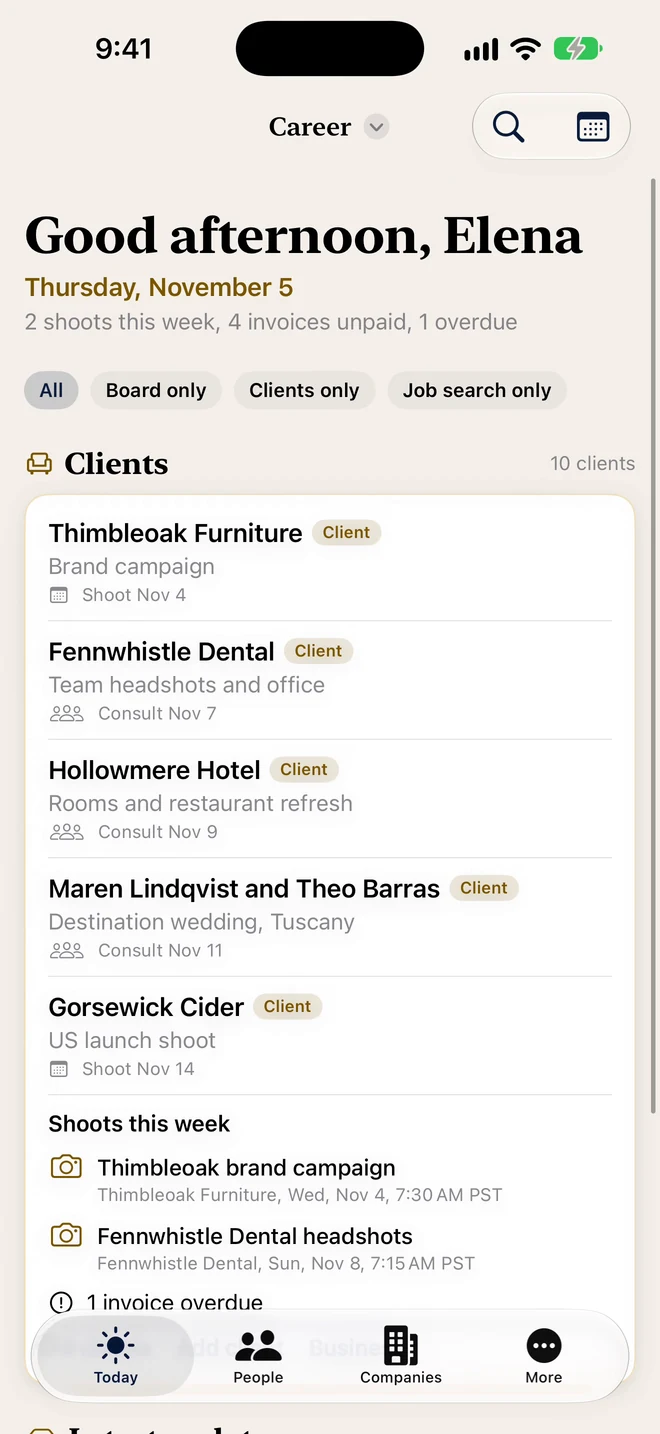
The live Demo overview shows Thimbleoak Furniture, Gorsewick Cider and shoots this week. The screen header reads Career.
Board seats and client rolesPremium Portfolio · Free: 1 client or seat
Keep the role, stage and next date together. Free and Premium include one client or seat; Premium Portfolio has no limit.
Shoot day, shot list and call sheetPremium Portfolio · Free: 1 client or seat
Keep the call time, location and must-have shots with the shoot. Start shoot on the day and follow the shot list on Apple Watch.
Fictional live-Demo sample
Client
Stage
Thimbleoak Furniture
Booked
Gorsewick Cider
Booked
Teaselby Ceramics
In post
Real live-Demo screen · fictional data. Keep the studio details together
Step 2
Keep the studio details together
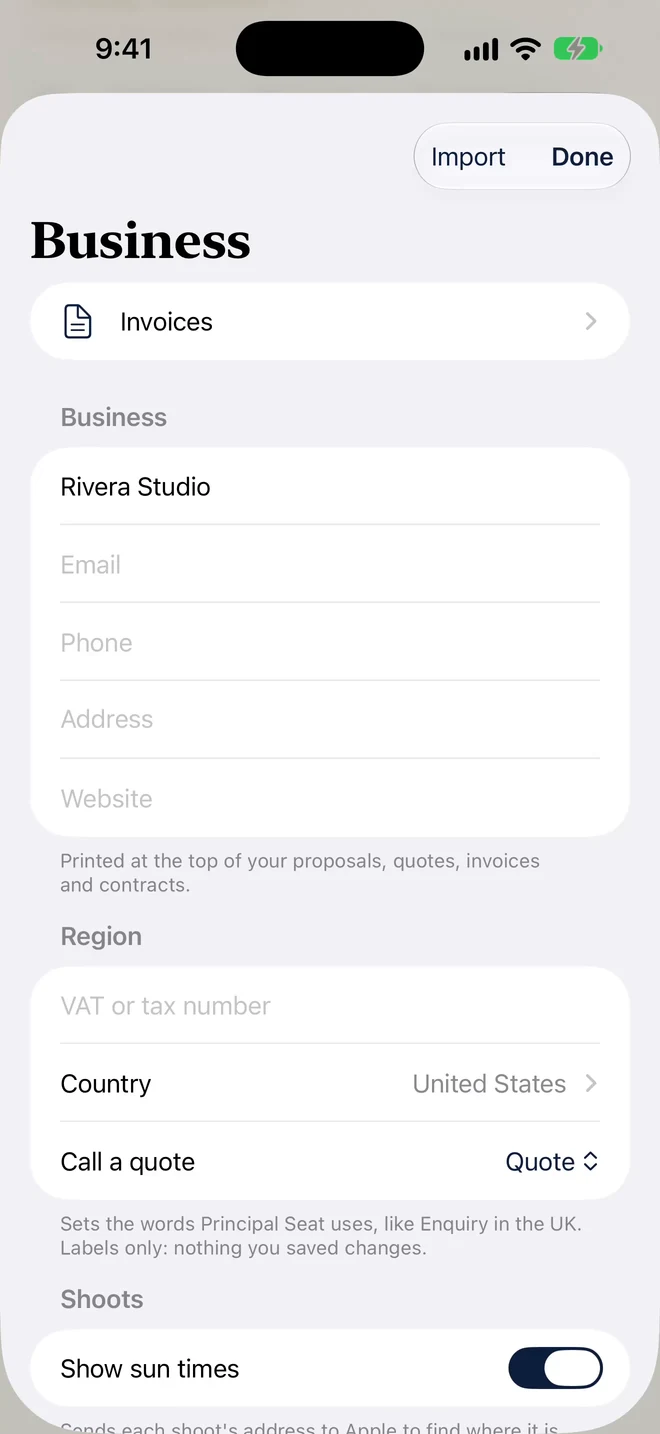
The real Business sheet shows Rivera Studio, invoice settings and the Show sun times switch.
Business profilePremium Portfolio · Free: 1 client or seat
Keep your studio details and invoice numbering together.
Fictional live-Demo sample
Business
Value
Rivera Studio
USD
Invoice prefix
INV-
Sales tax
8%
Real live-Demo screen · fictional data. Answer the inquiry with a quote
Step 3
Answer the inquiry with a quote
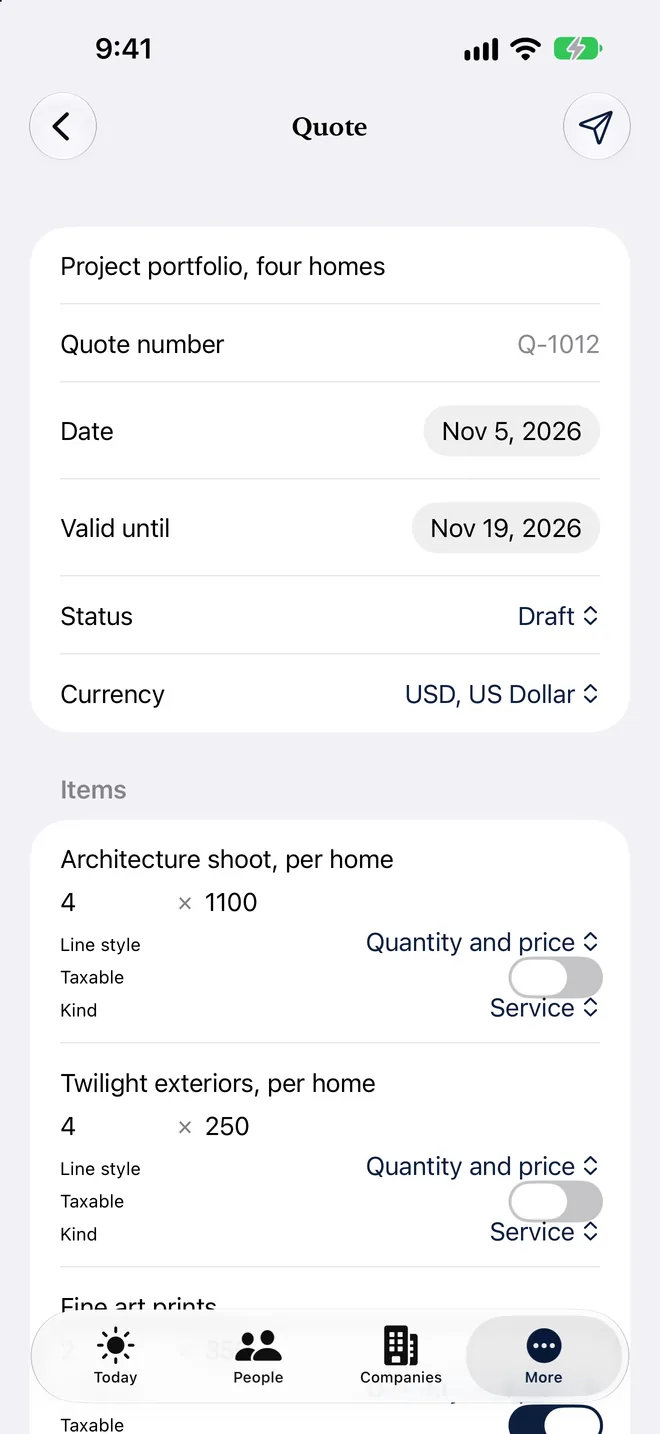
Quillbarrow Architects has a draft “Project portfolio, four homes” quote. The amounts below are the demo unit prices, not invented totals.
Quotes, contracts and invoicesPremium Portfolio · Free: 1 client or seat
Use saved items and packages, make PDFs, and record deposits and balances. Free and Premium include one client and one invoice within their limits.
Fictional live-Demo sample
Quote line
Quantity
Unit price (USD)
Architecture shoot, per home
4
$1,100
Twilight exteriors, per home
4
$250
Fine art prints
2
$350
Real live-Demo screen · fictional data. Walk into the shoot ready
Step 4
Walk into the shoot ready
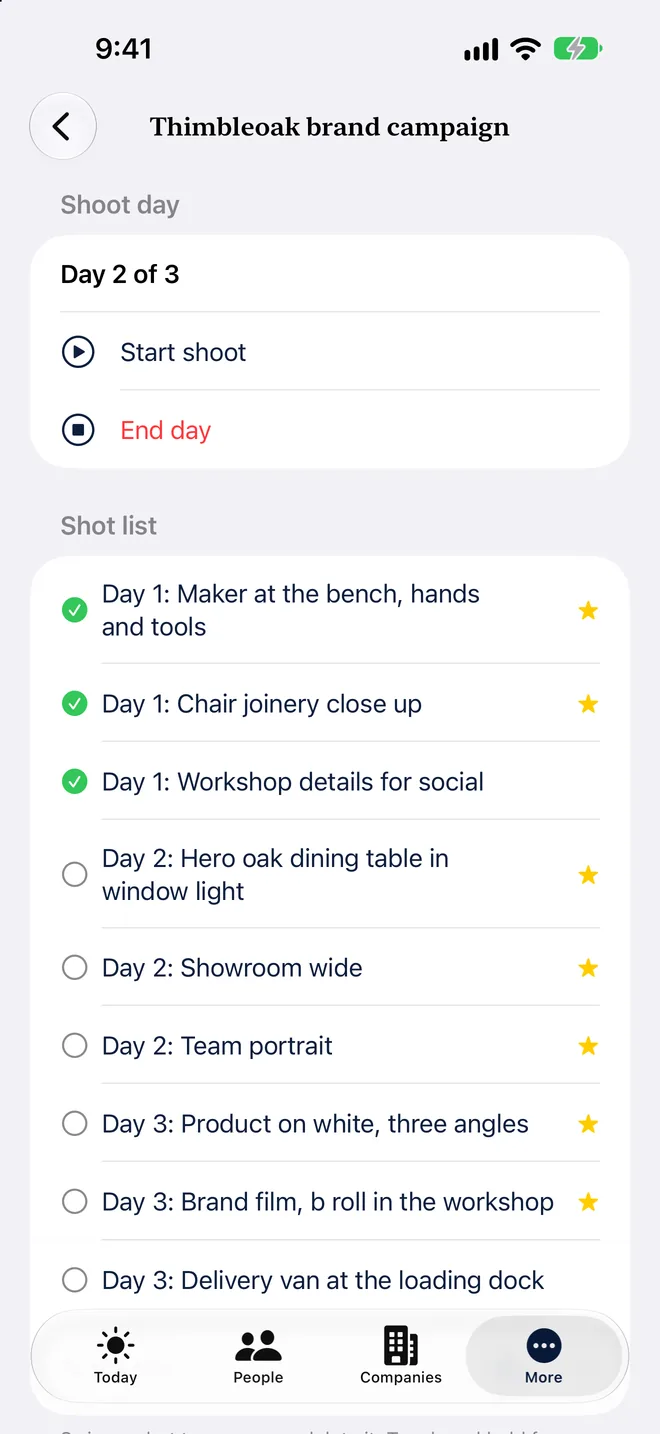
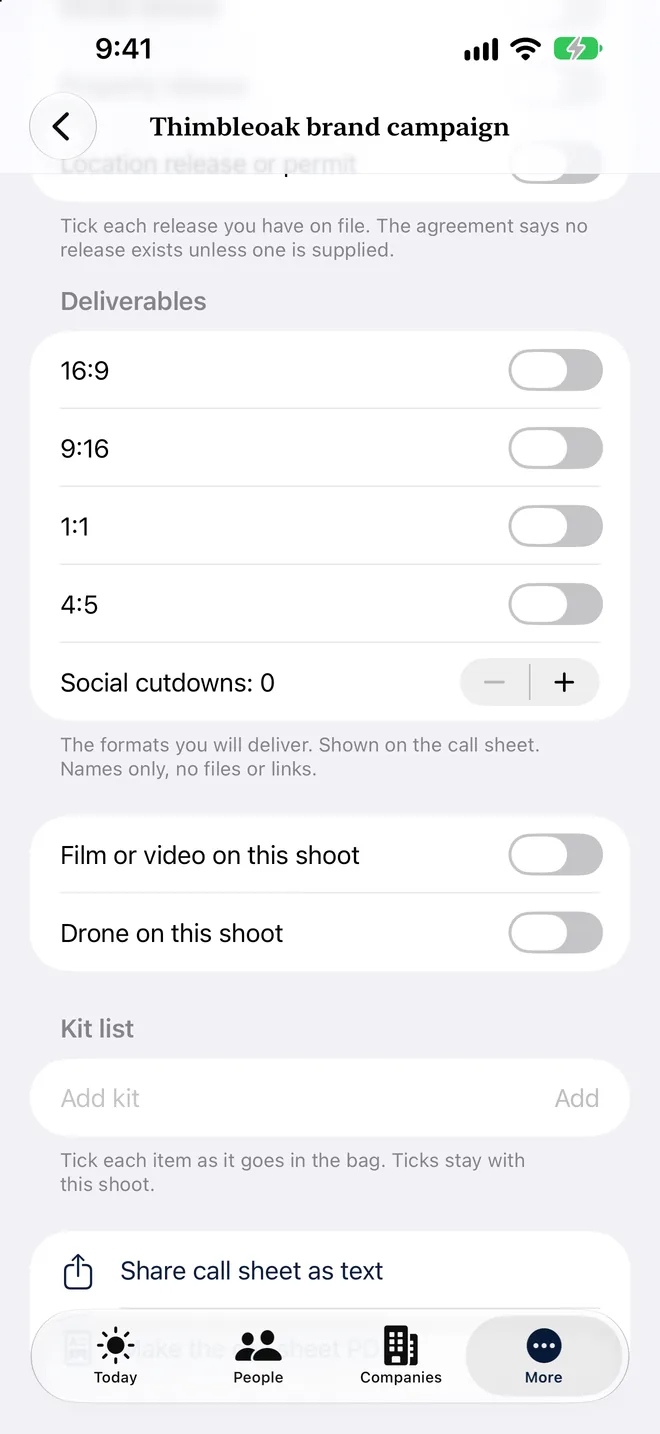
Shoot day, the shot list and call sheet are real 1.1 features. The current clean clip only shows the overview; the detailed shoot screen is not in this walkthrough yet.
Shoot day, shot list and call sheetPremium Portfolio · Free: 1 client or seat
Keep the call time, location and must-have shots with the shoot. Start shoot on the day and follow the shot list on Apple Watch.
Fictional live-Demo sample
Thimbleoak brand campaign
Shot
Day 1
Maker at the bench, hands and tools
Day 2
Hero oak dining table in window light
Day 3
Brand film, b roll in the workshop
Turn on the drone checklist for a shoot
Step 5
Turn on the drone checklist for a shoot
The drone checklist and official airspace-map links are available on the shoot screen. They do not give live restriction alerts or permission to fly.
Drone checklistPremium Portfolio · Free: 1 client or seat
Turn on the drone checklist for a shoot
Fictional live-Demo sample
Invoice line
Amount (USD)
Drone aerials, river and launch
$650
Real live-Demo screen · fictional data. Plan around the light
Step 6
Plan around the light
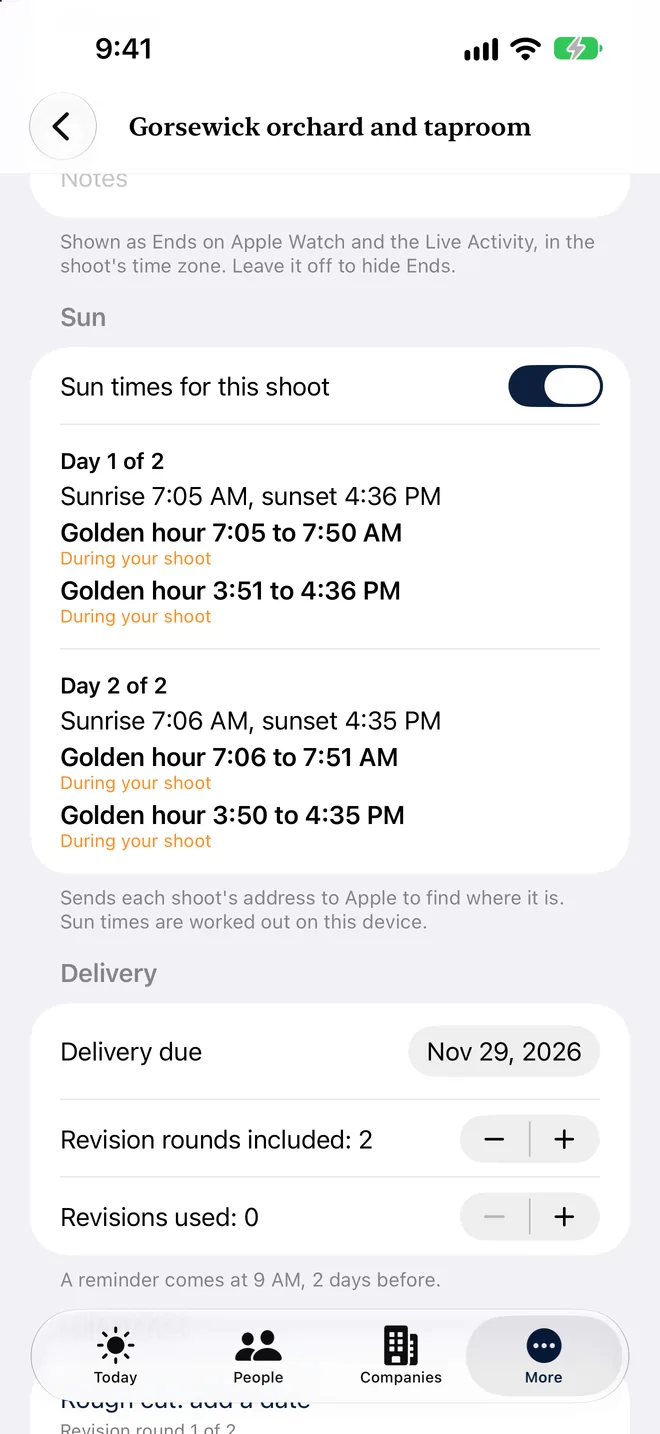
Sun times and golden hour are implemented in this 1.1 source, not just planned copy. No calculated times are invented for this page.
Sun times and golden hourPremium Portfolio · Free: 1 client or seat
Turn on Show sun times in Business to see calculated sunrise, sunset and golden hour in the shoot’s time zone. Real light also depends on weather and surroundings.
Fictional live-Demo sample
Gorsewick orchard and taproom
Place
Location
Partner orchard and taproom, Gorsewick US launch
Country
US
Real live-Demo screen · fictional data. Keep the overdue balance visible
Step 7
Keep the overdue balance visible
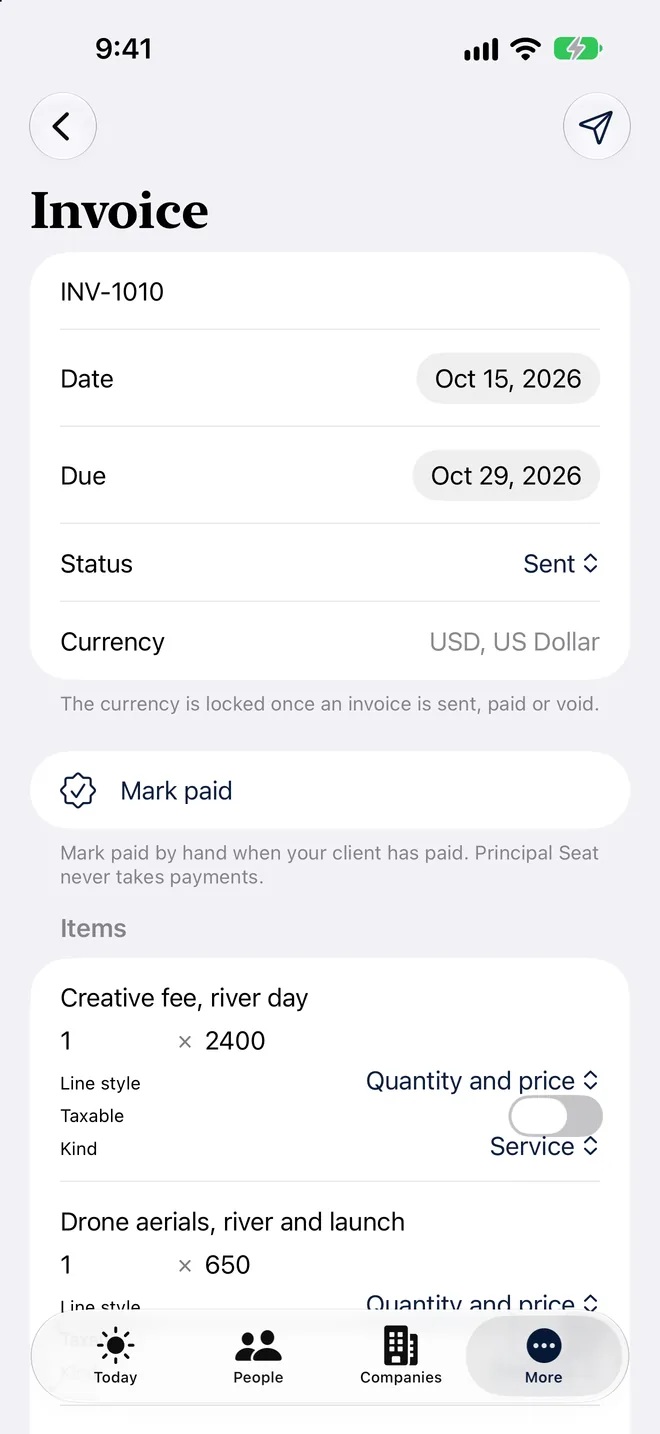
INV-1010 is sent and seven days past due in the demo. Principal Seat keeps the record; it does not process payments.
Quotes, contracts and invoicesPremium Portfolio · Free: 1 client or seat
Use saved items and packages, make PDFs, and record deposits and balances. Free and Premium include one client and one invoice within their limits.
Fictional live-Demo sample
Client
Invoice
Balance (USD)
Brackwater Kayak Co
INV-1010
$2,345
Real live-Demo screen · fictional data. Keep post-production and delivery together
Step 8
Keep post-production and delivery together
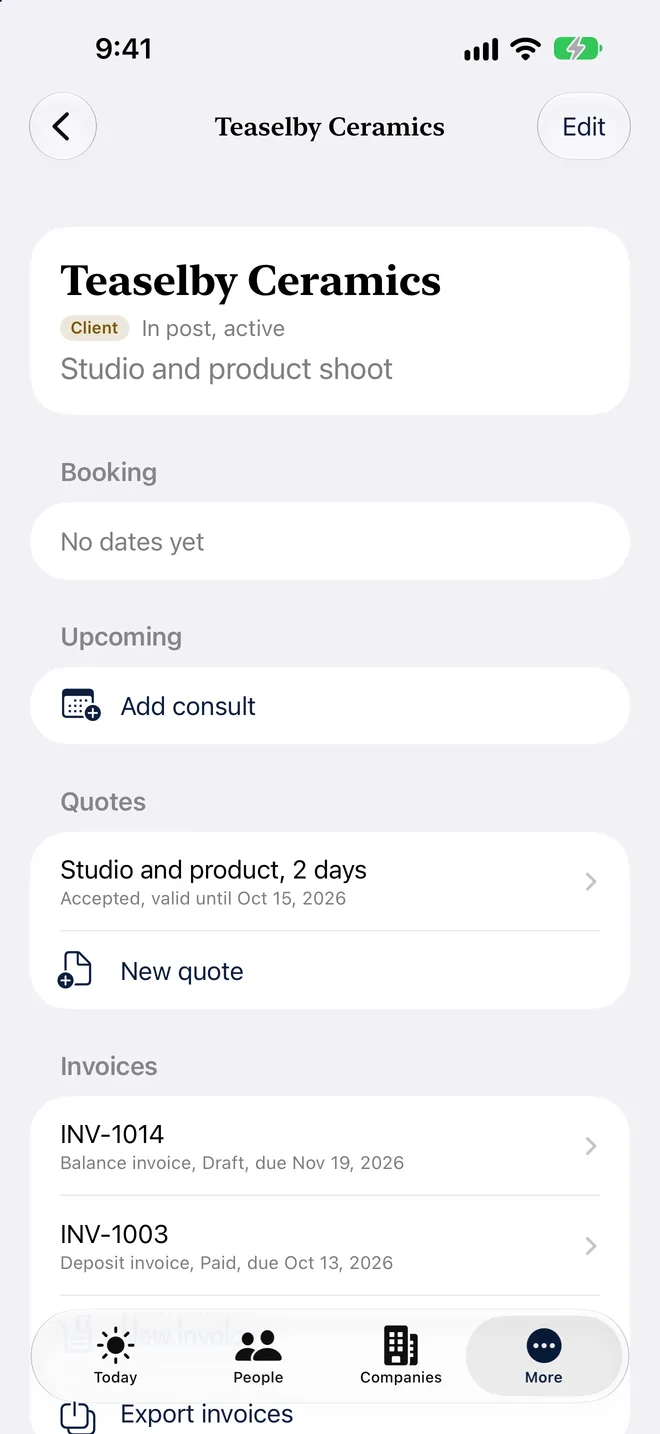
Teaselby Ceramics is In post. Its shoot has two revision rounds, one used, and a proofs link from an outside gallery service.
Video cuts, delivery and revisionsPremium Portfolio · Free: 1 client or seat
Track rough cut, fine cut, delivery due and revision rounds. Keep links from your own gallery or film service; you review and send the message yourself.
Fictional live-Demo sample
Client
Revision rounds
Used
Teaselby Ceramics
2
1
No examples for this filter in this walkthrough.
Watch Elena’s Demo film
Elena’s HVAC project
A home project has its own place, separate from studio clients. Elena has no Caregiving space in the demo.
Real live-Demo screen · fictional data. Keep the quote and the open request together
Step 1
Keep the quote and the open request together
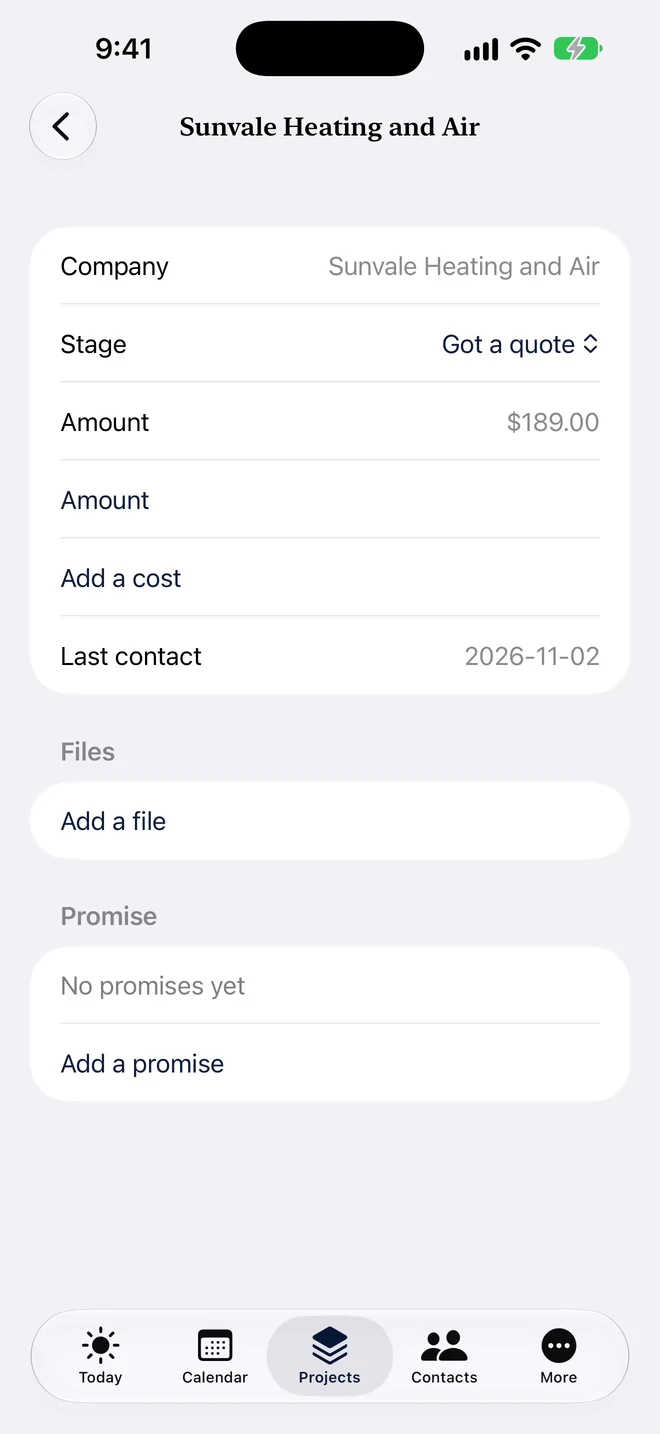
Sunvale Heating and Air has quoted $189. Tansyford Air Care is at Asked for a quote, without a second amount.
Projects and contractorsIncluded
Group the project and the helpers you are considering.
CostsIncluded
Keep quotes, invoices and paid items with the space.
Quote compare and attachmentsIncluded
Compare the helpers and their quotes side by side, with files beside the price.
Fictional live-Demo sample
Helper
Stage
Quote
Sunvale Heating and Air
Got a quote
$189
Tansyford Air Care
Asked for a quote
Quote not in yet
Real live-Demo screen · fictional data. Follow up on the missing quote
Step 2
Follow up on the missing quote
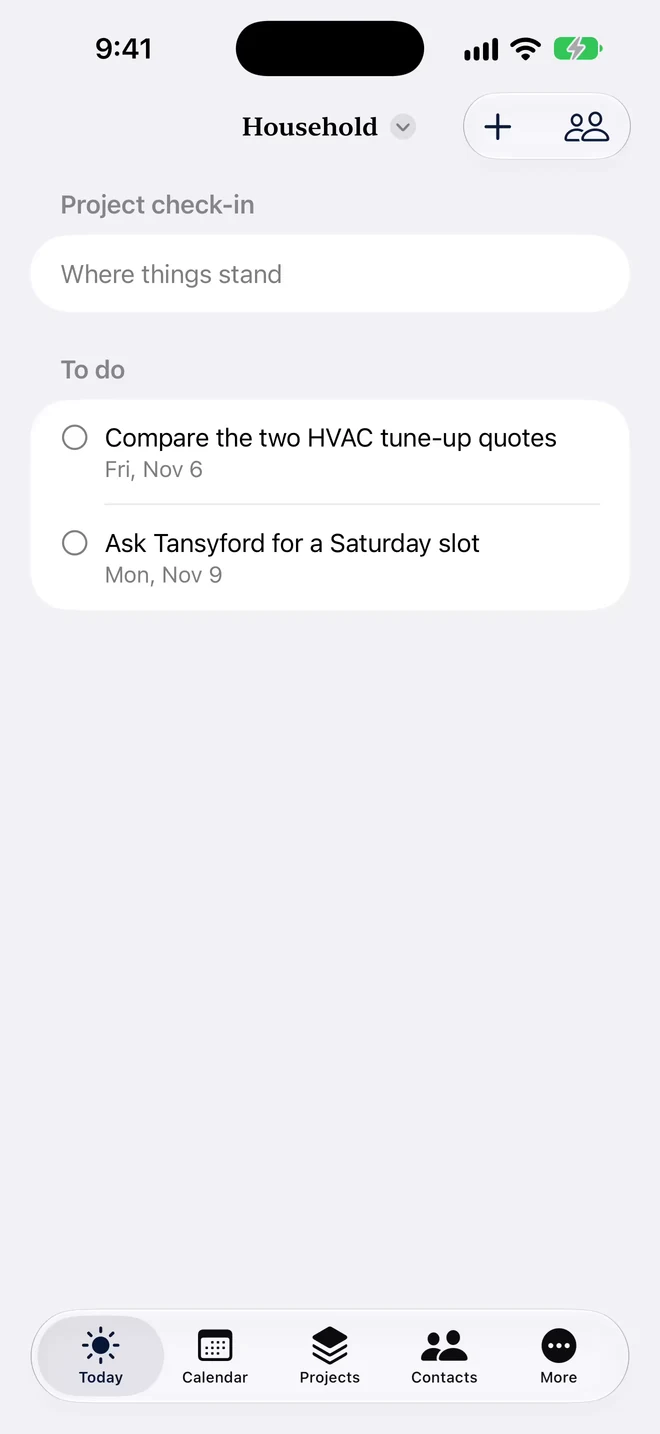
These are the real Household to-dos; the quote comparison screen is not in this walkthrough yet.
Today and assigned to-dosIncluded
See what is due and who is doing it.
Fictional live-Demo sample
To-do
Compare the two HVAC tune-up quotes
Ask Tansyford for a Saturday slot
Elena’s whole week, read only
Elena’s studio work and Household project belong to the same week, without sharing client records. In the app, All spaces brings Today and the calendar together. Here's how the week looks across spaces.
Real live-Demo screen · fictional data. Look across spaces, then open one to make a change
Step 1
Look across spaces, then open one to make a change
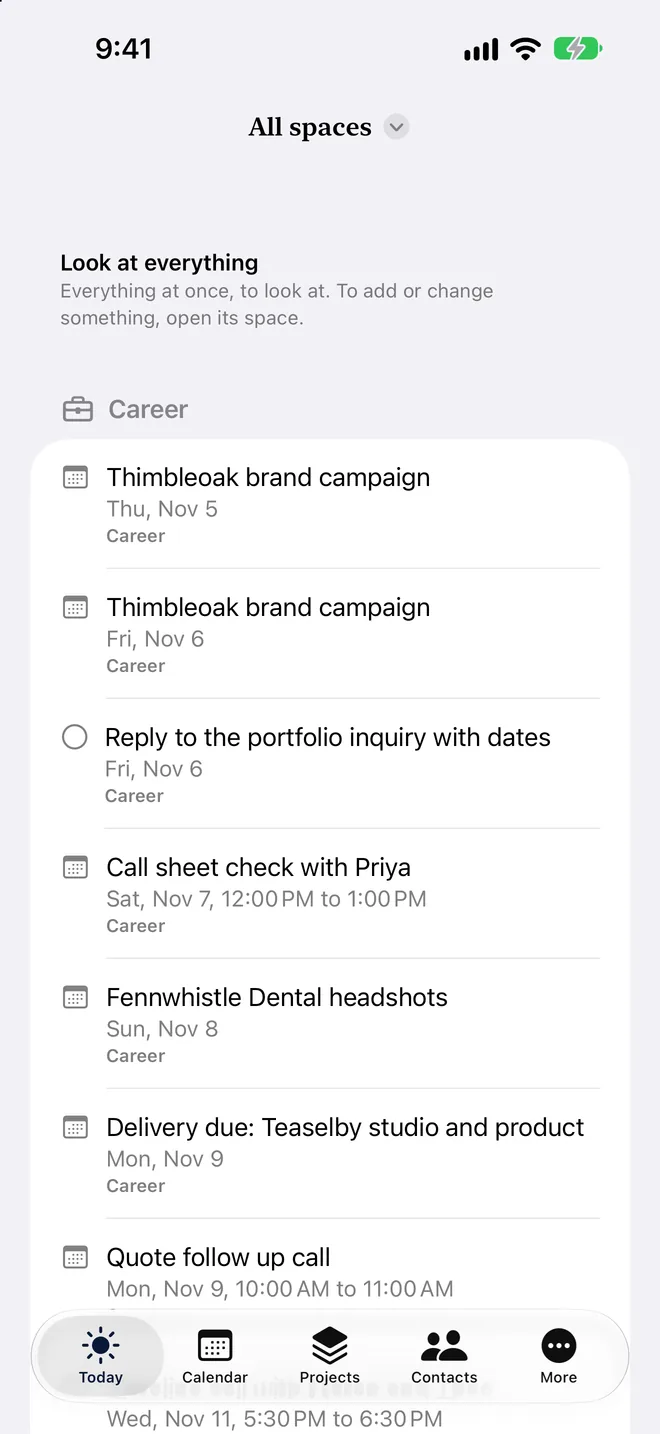
Demo dates move with the day you open it.
All spaces, read onlyIncluded
Look at Today and the calendar across spaces. Open the item’s own space to make a change. Only you see the combined view.
Fictional live-Demo sample
Space
Item
Relative date
Career
Thimbleoak brand campaign
Starts 1 day before opening Demo; ends 1 day after
Career
Gorsewick orchard and taproom
Starts 9 days after opening Demo
Household
Compare the two HVAC tune-up quotes
1 day after opening Demo
One life, separate spaces.
The core work comes first. Use the space choices above to look at the rest without mixing the records. Sharing one space does not share the others. How spaces work.
Your assistant prepares updates. You review them and bring them in.
Try the fictional Demo
Open Settings, Help and demo, choose Elena Rivera, then Turn on selected demo. Your own information stays as it is. Demo unlocks the features to explore; the labels here show the plan needed outside Demo. Compare plans and Free limits.
 Principal Seat